Full-resolution images in saved reports
You can now click any image in a saved report to view it at full resolution. Centering overlays, corner close-ups, surface scans – all of it. Previously, shared reports only showed compressed versions, which wasn’t great when you actually needed to see the detail that matters for a grading decision.
Operator checklist
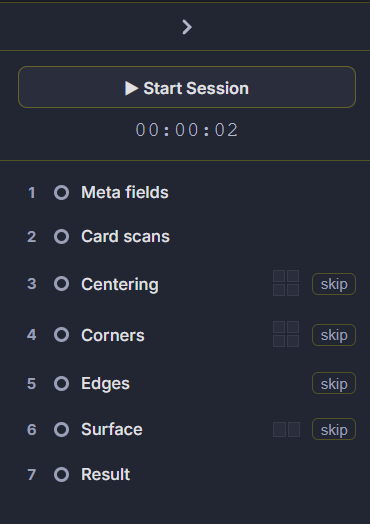
There’s a new checklist on the left side of the report builder. It shows all seven stages – meta fields, card scans, centering, corners, edges, surface, result – with a status for each one. Optional steps can be skipped. A session timer at the top tracks how long you’ve been working on the current card.
If you’re grading 20+ cards in a shift, it’s easy to forget whether you’ve already done edges. Now you don’t have to remember.
Corners section in reports
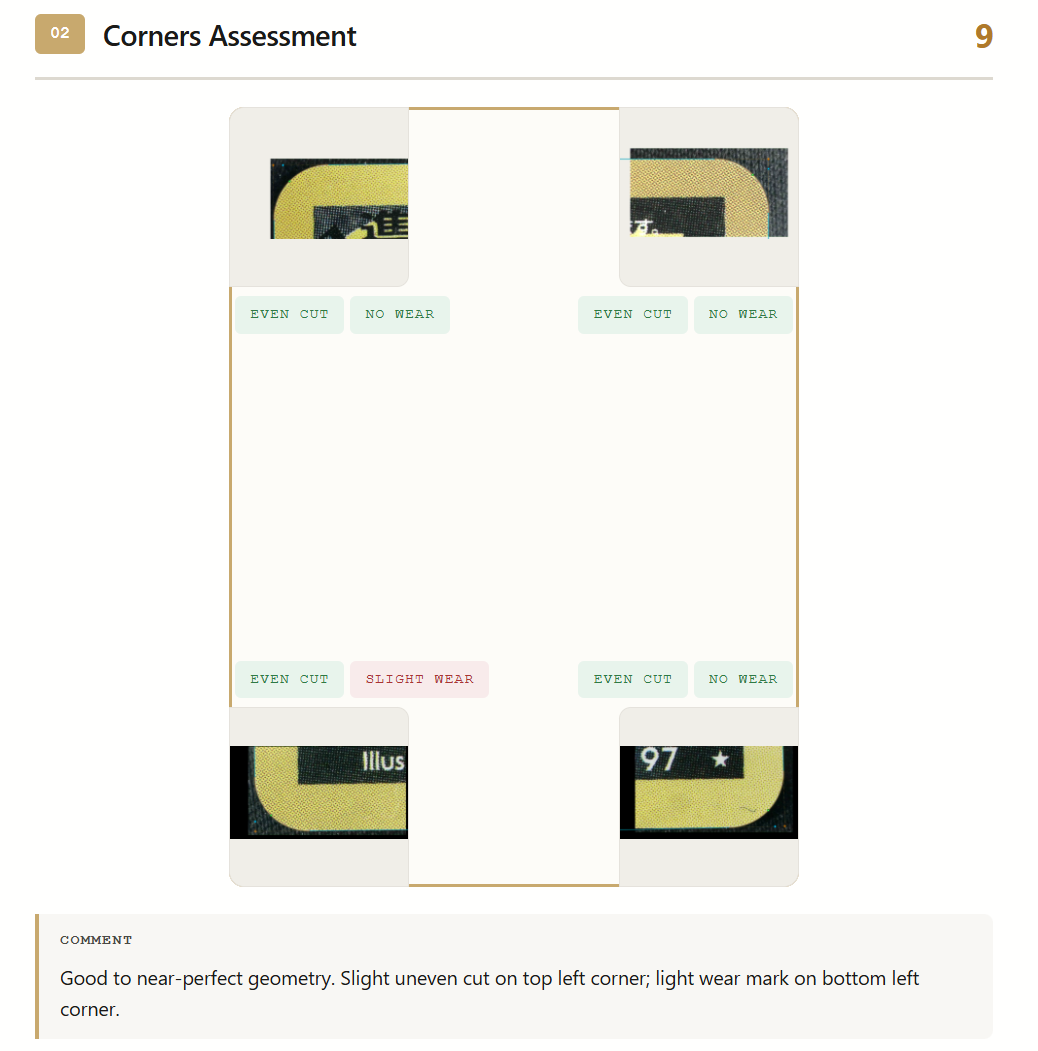
The corners section in the final report looks different now. Each corner shows a close-up with the wear label right on the image – no wear, slight wear, and so on. Four corners in a grid, all visible at once. You don’t need to zoom or flip between panels to compare them anymore.
AI comments
The AI assistant now auto-fills the centering shift direction when the comment field is empty. If the card is shifted left or the top border is wider than the bottom, it’ll describe that for you. Small thing, but it saves a few seconds per card and the wording is more consistent than typing it out each time.
Printing
Reports can now be printed straight from the browser or exported as PDF. We redesigned the print layout to use light borders instead of dark fills – same clean look on paper, way less ink. If your shop prints reports for customers, you’ll notice the difference on your cartridge bill.
Profile management
You can now change your nickname and password from a profile modal. No need to message an admin. Admins can also set up Telegram-based login if that’s easier for their team.
Faster images
We reworked the image compression pipeline. Measurement overlays, corner crops, surface scans – they all transfer faster now. Same visual quality, smaller payloads. The difference is most noticeable on slower connections or when you’re working with high-res macro shots.
Readability
Text colors across the UI now meet WCAG contrast guidelines. Fonts are bigger in key panels, spacing is more generous. Doesn’t sound like much, but when you’re switching between a microscope and a screen all day, it matters.